

DLS 26 Brazil Kits: How to Find and Import Them
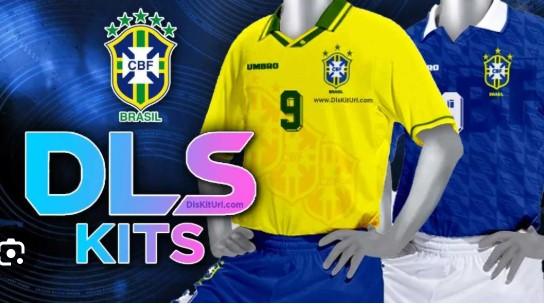
Quick answer: Brazil kits for Dream League Soccer 2026 (DLS 26) are custom 512x512 PNG images you import using a URL in the game's "Customise Team" menu. You can find home, away, third, and goalkeeper kits through fan-created collections online, then paste the image link directly into the game to dress your squad in Brazil's iconic yellow and blue.
If you play Dream League Soccer, you already know the kit makes the team. A sharp, accurate set of jerseys turns a generic squad into a club—or in this case, into the five-time World Cup champions. Brazil kits are some of the most searched designs in the DLS community, and it's easy to see why. That bold canary yellow, the blue shorts, the green trim—few football shirts are as recognizable.
This guide walks you through everything you need to know about DLS 26 Brazil kits. You'll learn what makes a good kit file, how to import one step by step, and where these designs typically come from. By the end, you'll be ready to give your team the full Seleção look.
What are DLS 26 Brazil kits?
DLS 26 Brazil kits are custom uniform designs you add to your team in Dream League Soccer 2026. Each kit is a 512x512 pixel PNG image hosted online, and the game pulls it in through a direct URL.
A complete Brazil set usually includes four pieces:
- Home kit: The classic yellow jersey with green and blue accents.
- Away kit: Typically a blue shirt, drawing on Brazil's secondary colors.
- Third kit: An alternate design that changes from season to season.
- Goalkeeper kit: A separate color scheme so your keeper stands out on the pitch.
Some collections also include matching logos and a custom team badge to complete the look.
How do you import a Brazil kit into DLS 26?
Importing a kit takes less than a minute once you have the image URL. Here's the process step by step:
- Open Dream League Soccer 2026 and go to My Club.
- Select Customise Team, then tap Edit Kits.
- Choose the kit slot you want to change—home, away, third, or goalkeeper.
- Tap the download or import icon (it looks like a small arrow or globe).
- Paste the kit's 512x512 PNG URL into the field.
- Confirm, and the game will load the design onto your jersey.
Repeat the process for each kit slot. If a URL doesn't work, double-check that the link ends in .png and points directly to the image, not a webpage.
What size and format do DLS 26 kits need to be?
Every DLS kit must be a 512x512 pixel PNG file. This is the only resolution the game accepts, and using the wrong size will cause the import to fail or display the kit incorrectly.
If you want to create your own Brazil kit instead of importing one, keep these specs in mind:
- Resolution: Exactly 512 x 512 pixels.
- Format: PNG (with transparency where needed).
- Hosting: Upload the image to a service that gives you a direct image link ending in .png.
Editing apps and free templates make it possible to design a kit from scratch, though most players prefer to import ready-made versions to save time.
Where do DLS 26 Brazil kits come from?
Most Brazil kits in the DLS community are fan-made. Designers recreate official jerseys—and sometimes invent concept versions—then share the image URLs in forums, blogs, and social media groups dedicated to Dream League Soccer.
Because these are custom designs, the exact look can vary. Some aim for a faithful match to the current national team strip, while others put a creative spin on the classic colors. When choosing a kit, look for clean edges, accurate colors, and a working direct link.
Tips for choosing the best Brazil kit
Not all custom kits are made equal. A few things separate a great one from a forgettable one:
- Color accuracy: Brazil's yellow should be vivid, not washed out. The green and blue trim should look crisp.
- Detail quality: Good kits include realistic textures, sponsor placements, and clean badge work.
- Full sets: Choose a collection that gives you matching home, away, third, and goalkeeper kits for a consistent look.
- Reliable links: A kit is only useful if the URL actually loads. Test it before committing to a full set.
Give your squad the Seleção look
Brazil kits are a fast, free way to add personality to your Dream League Soccer team. Once you understand the 512x512 PNG format and the import-by-URL process, swapping in a fresh set of jerseys becomes second nature. Start with the classic yellow home kit, then build out your away, third, and goalkeeper designs for a complete national-team feel.
Ready to upgrade your squad? Open DLS 26, find a Brazil kit collection you like, and import your first design today.
Frequently asked questions
Are DLS 26 Brazil kits free?
Yes. The vast majority of Brazil kits shared in the Dream League Soccer community are free fan-made designs. You only need the image URL to import them—there's no cost to add a kit to your team.
Why won't my Brazil kit URL work in DLS 26?
The most common reasons are an incorrect image size or a bad link. The file must be exactly 512x512 pixels and in PNG format, and the URL must point directly to the image (ending in .png) rather than a webpage.
Can I use official Brazil kits in DLS 26?
Dream League Soccer 2026 includes licensed and generic kits within the game, but exact replicas of current national-team jerseys are usually fan-created. These custom versions let you mimic the official look using the import-by-URL feature.
Do I need to import all four kits?
No. You can import as many or as few kits as you like. Many players start with just the home kit, then add away, third, and goalkeeper designs over time for a complete set.
Can I create my own Brazil kit?
Yes. If you have basic image-editing skills, you can design a 512x512 PNG kit yourself, host it online to get a direct link, and import it the same way you would any other custom kit.
 Deutsch
 English
 Arabic
 French
 Spanish
 Portuguese
 Turkish
 Dutch
Dutch
 Italiano
 Russian
 Romaian
 Portuguese (Brazil)
 Greek
Greek